Downloads · early builds
Install it yourself.
Early builds of Rave Function for a Meta Quest headset and Android phones, to install outside any app store. Rave Function
is in development and is not in a store yet.
Meta Quest
Rave Function for Meta Quest
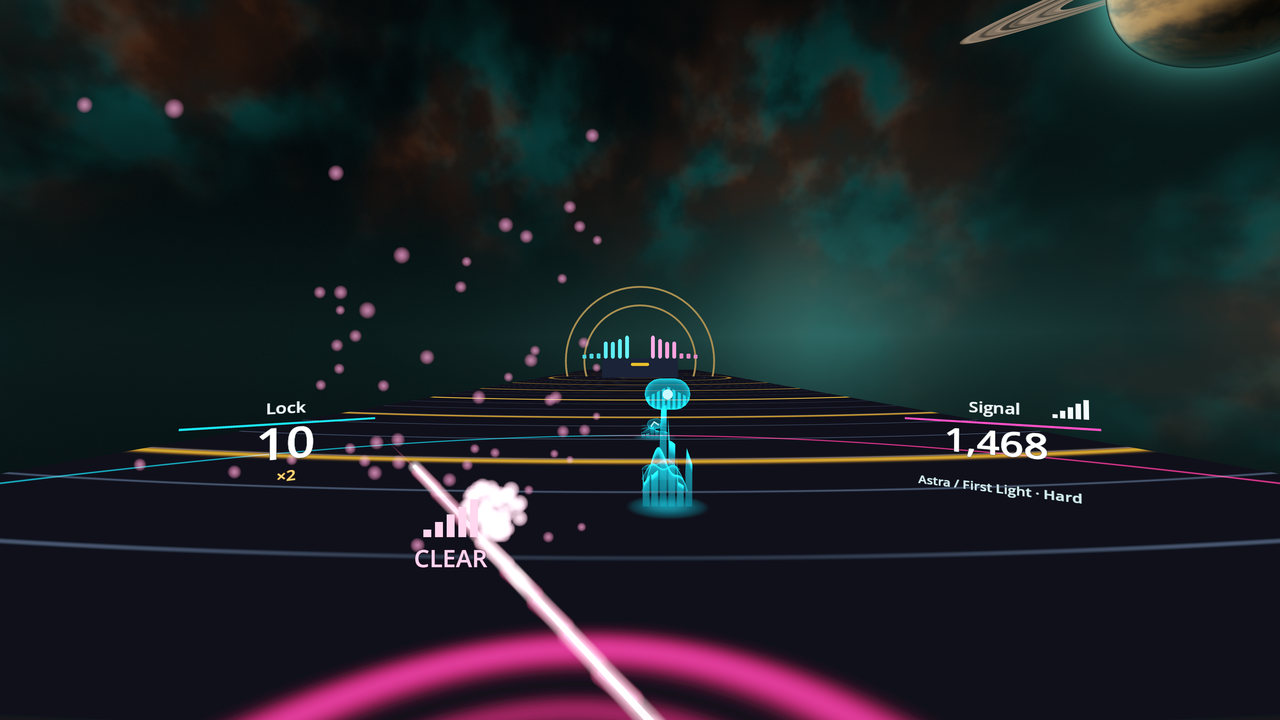
Step inside the music. It rolls toward you across a midnight dancefloor as waves, and each one crests into a glowing capsule on the beat; meet it square on with the antenna of light in your hand and the signal comes in clear. Comes with the original track Astra / First Light; send it your own songs from a phone or computer on the same Wi-Fi. Play on your own, or in a party on your network.
Not in the Meta Horizon Store yet: a listing there is coming. Until then it installs in developer mode, as below.
Download for Quest APK · 90.5 MB
- Version
- 0.5.17 (build 370)
- File
- RaveFunction-Quest.apk, 90.5 MB
- Needs
- Meta Quest 2, 3, 3S or Pro
- SHA-256
- f36a7a1d1a68cabacb55e20ef9490732999d66a8f5dde5bf79a904859616d8d2
Android phones
Rave Function Watch for Android
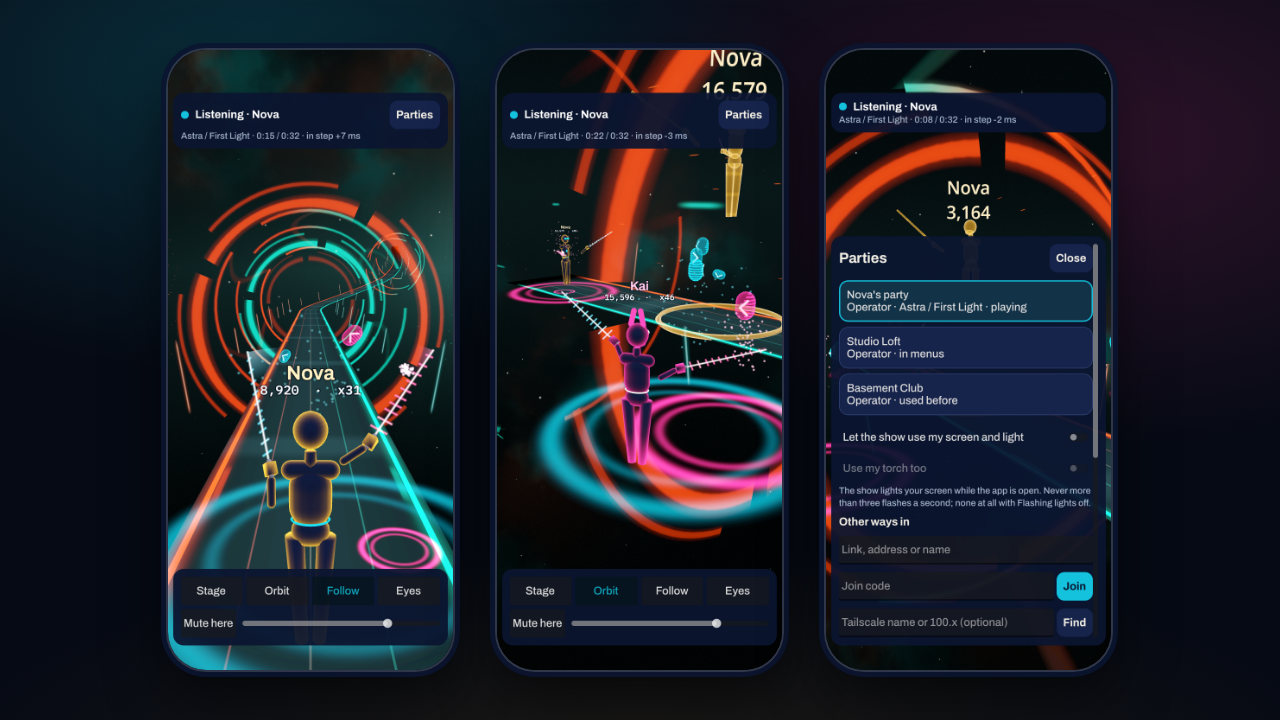
Listen in. Hear a party's music in your own headphones, in step with the room, and watch the stage in 3D. For a party on your Wi-Fi: a Quest sharing its game, or a party host who gives you a link, or an address and a code.
An early build for phones. Keep the app open while you listen: on Android it does not play on with the screen off yet, and it has no location features.
Download for Android APK · 39.5 MB
- Version
- 0.2.5 (build 7)
- File
- RaveFunction-Watch-Android.apk, 39.5 MB
- Needs
- Android 7.0 or newer, 64-bit Arm
- SHA-256
- 967f17fb7a094db79c921d00a6f680f64ced0f8640a76390645a941903907919
Install on a Quest
- Turn on developer mode. A Quest installs apps from outside the Meta Horizon Store in developer
mode. Meta first asks you to join or create a team on its developer dashboard and to verify your account;
then, in the Meta Horizon app on your phone, tap the headset icon, your headset, Headset Settings, and
switch on Developer Mode. Meta's guide
has the steps and Meta's terms for developer mode.
- Connect the headset to a computer with a USB-C data cable, put it on and allow USB debugging
(Always allow from this computer).
- Install the APK with SideQuest by dragging
RaveFunction-Quest.apk onto it, or with adb:
adb install -r RaveFunction-Quest.apk
- Start it in the headset from your Library, among the apps from unknown sources.
A newer APK installs over this one the same way and keeps your songs and settings.
Install on an Android phone
- Download RaveFunction-Watch-Android.apk on the phone and open it.
- Allow this source. Android asks whether the app you downloaded it with (your browser, or Files)
may install apps: open its settings, turn on Allow from this source, then go back and tap Install.
- Android may say the app is not from Google Play, or offer to scan it: it treats every app installed this
way like that. To be sure the file is ours, compare its SHA-256 below.
- Open Rave Function Watch. It looks for parties on your Wi-Fi by itself; for another one, type its
link, or its address and code, under Parties, Other ways in.
Check a download
Each file's SHA-256 is on its card, and all of them are in SHA256SUMS.txt. On a Mac or
Linux: shasum -a 256 RaveFunction-Quest.apk; on Windows: certutil -hashfile RaveFunction-Quest.apk SHA256
Both APKs are signed with one certificate, SHA-256 958590a5075ccafeda0327d8a1ae85650c3e0d37597997c3fafc9371b196d6f1; apksigner verify --print-certs shows it.
These files are the release of 2026-11-19 (its page on GitHub, with
every release). The buttons always give the newest.
Privacy
Nothing comes to us: no accounts, no ads, no analytics, no crash reports. What the apps keep stays on your
device, and in a party the devices on your own network talk to each other directly. The privacy policies:
Credits and licences
The apps are made with Godot Engine (MIT License) and other open-source software.
THIRD-PARTY-NOTICES.txt lists every component with
its licence and its source, beside the full licence texts in the licences
folder. The parts under the Mozilla Public License 2.0, and their source: godot-rust
(gdext 0.5.5, and our changed godot-ffi:
godot-ffi-0.5.5-source.zip) and Symphonia
(0.6.1). The fonts, Archivo and IBM Plex Mono, are
under the SIL Open Font License. The music in the Quest app, Astra / First Light, is the project's own; the credits of everything else are in CREDITS.md.
Inside the apps: Settings → Credits on Quest; Parties → About → Licences in Rave Function Watch.